
Fix OpenShift AI Workbench ImageStream Failures on ROSA HCP Zero-Egress Clusters
This content is authored by Red Hat experts, but has not yet been tested on every supported configuration. This guide has been validated on OpenShift 4.20. Operator CRD names, API versions, and console paths may differ on other versions.
If you are running OpenShift AI on a ROSA HCP zero-egress cluster and your workbenches fail with ImagePullBackOff, this guide explains the root cause and provides two workaround solutions. A permanent fix is being developed by Red Hat engineering.
Symptoms
On a ROSA HCP zero-egress cluster with OpenShift AI installed, workbenches created from the OpenShift AI console fail with ImagePullBackOff:
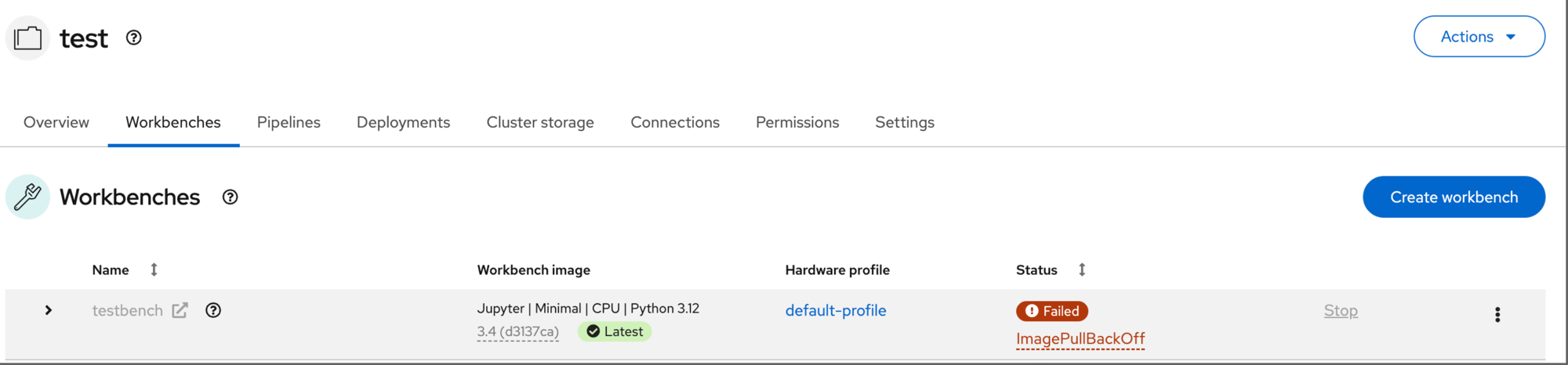
OpenShift AI workbench images are backed by ImageStreams in the redhat-ods-applications namespace. When you select a workbench image in the OpenShift AI console (e.g., Jupyter | Minimal | CPU | Python 3.12), it maps to an ImageStream tag (s2i-minimal-notebook:3.4). You can see these ImageStreams in the OpenShift console under Builds → ImageStreams in the redhat-ods-applications namespace:
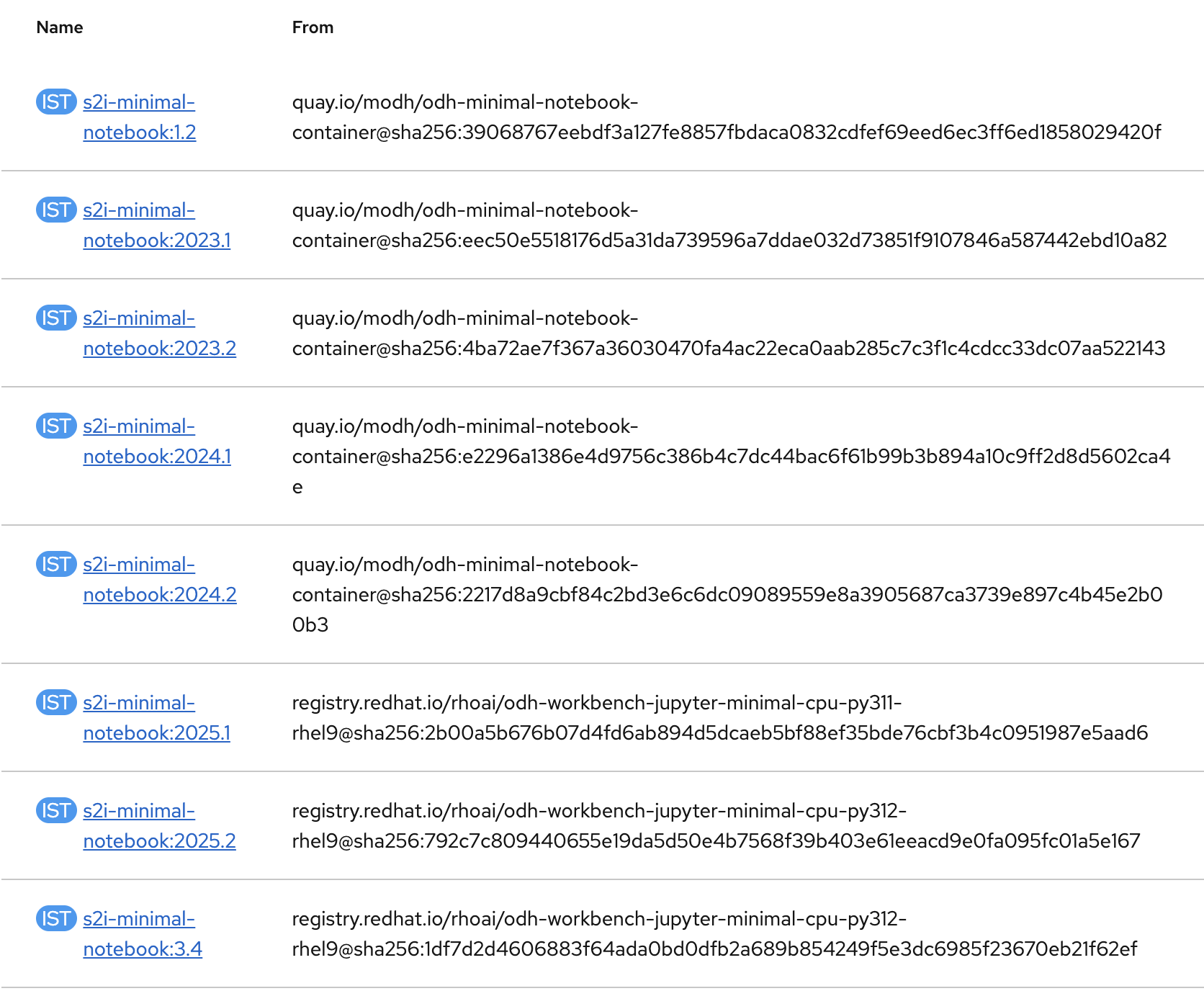
The ImageStream import controller imports these images from the source registry into the internal image registry. The console then creates workbench pods that reference the internal registry URL. If the import fails, the image does not exist in the internal registry and the pod fails.
The source images are stored in two registries:
| Registry | Versions | Example tags |
|---|---|---|
quay.io/modh |
Older versions | 1.2, 2023.1, 2023.2, 2024.1, 2024.2 |
registry.redhat.io |
Newer versions (2025+) | 2025.1, 2025.2, 3.4 |
Root Cause
The fundamental issue is how ImageStream imports pull images. On a zero-egress cluster, all container images are served from an AWS ECR mirror via IDMS. Worker nodes (CRI-O) authenticate to ECR using credentials in kube-system/global-pull-secret. However, the ImageStream import controller uses a different pull secret:
| Component | Pull secret | Has ECR credentials? | Result |
|---|---|---|---|
| Worker node (CRI-O) | kube-system/global-pull-secret |
Yes | Image pulls succeed |
| ImageStream import controller | openshift-config/pull-secret |
No | Import fails |
The openshift-config/pull-secret is a managed resource; direct modifications are automatically reverted. The import controller is redirected to ECR via IDMS but cannot authenticate. This affects both registry.redhat.io and quay.io/modh images.
Additionally, the quay.io/modh images have no default IDMS configured. Without an IDMS redirect, the import controller tries to pull directly from quay.io, which fails on zero-egress clusters because there is no outbound internet access.
Solutions
| Option 1: Namespace-Level Pull Secret | Option 2: Patch Workbench | |
|---|---|---|
| Approach | Provide ECR credentials to the ImageStream import controller | Bypass ImageStream; use source image directly |
| Scope | Fixes all workbenches at once | Per-workbench manual fix |
| Ongoing maintenance | CronJob handles credential refresh automatically | Manual intervention for every new workbench |
Option 1: Namespace-Level ECR Pull Secret (Recommended)
Copies ECR credentials into the redhat-ods-applications namespace and links them to the service accounts used by the ImageStream import controller. A CronJob keeps the credentials in sync since ECR tokens expire every 12 hours.
Prerequisites
- Logged in to the cluster with
cluster-adminprivileges oc,jqinstalled- IDMS for
quay.io/modhconfigured (see below)
The cluster comes pre-configured with IDMS for registry.redhat.io, but older OpenShift AI image tags reference quay.io/modh/..., which is not covered. Add it:
Step 1: Create ECR pull secret in the RHOAI namespace
Step 2: Link the secret to service accounts
Step 3: Re-import failed ImageStream tags
Step 4: Set up automatic credential sync
ECR tokens expire every 12 hours. Create a CronJob running every 4 hours (offset 30 minutes after the Red Hat managed credential refresh):
Verification
Create a workbench from the OpenShift AI console. It should start without manual intervention.
Option 2: Patch Each Workbench After Creation
Bypasses ImageStream entirely by patching the workbench notebook CR to use the original source image reference directly. CRI-O on the worker node handles the IDMS redirect to ECR and authenticates via the node’s IAM role.
Prerequisites
- Permissions to patch notebook CR in the target namespace
- IDMS for
quay.io/modhconfigured (see Option 1 Prerequisites)
Step 1: Create the workbench
Create a workbench from the OpenShift AI console (e.g., Jupyter | Minimal | CPU | Python 3.12). It will fail with ImagePullBackOff.
Step 2: Identify the source image and patch
Step 3: Delete the pod to force recreation
StatefulSet pods do not auto-restart on spec changes:
The workbench pod should reach Running status.
Result: Before and After
Before applying the fix, ImageStream tags show empty Identifier and Last updated columns because the import failed and no image was stored in the internal registry.
After applying the fix, all tags (both quay.io/modh and registry.redhat.io) show populated Identifier and Last updated values:
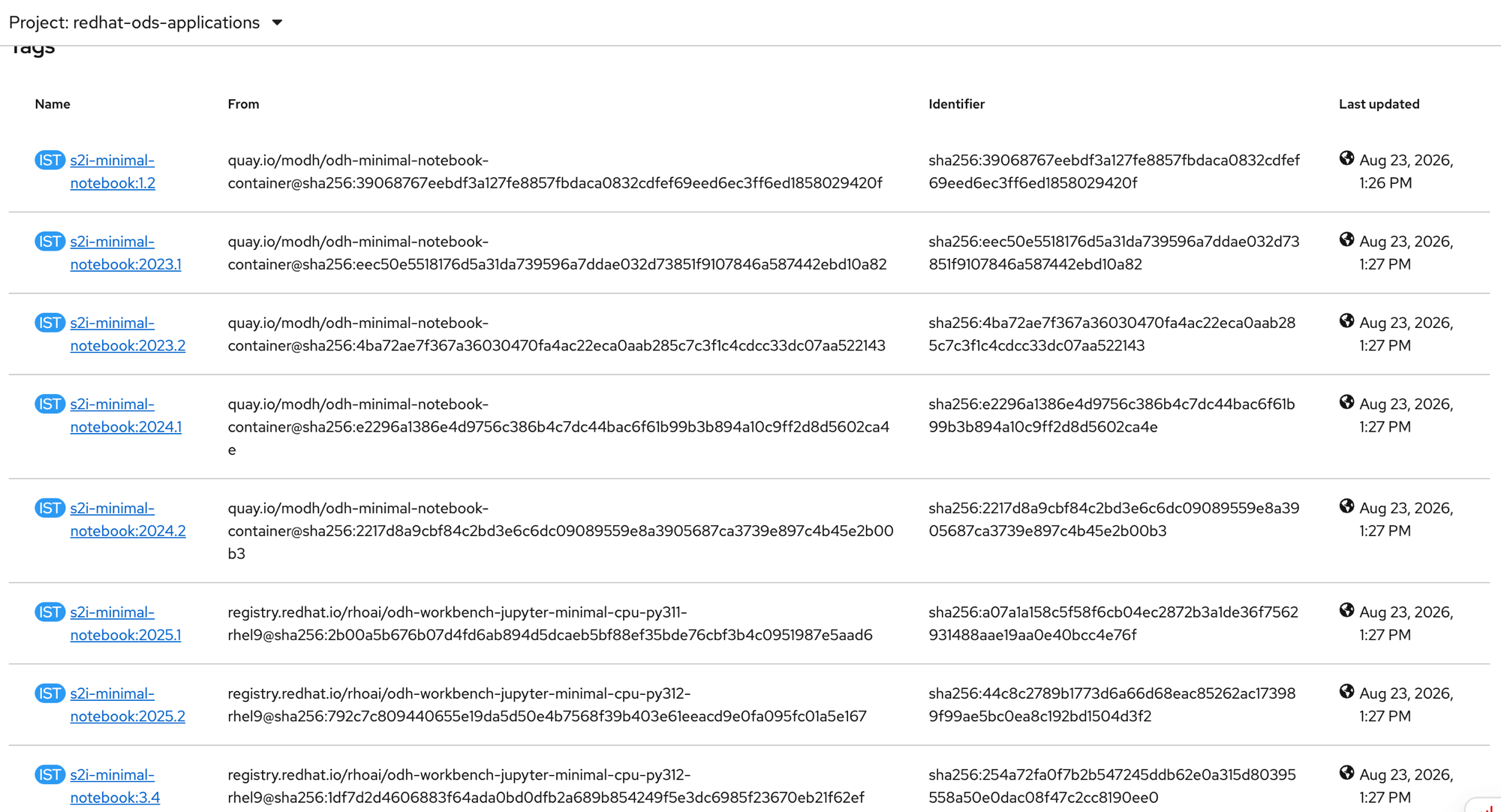
Workbenches created from the OpenShift AI console start successfully:

Troubleshooting
Verify prerequisites before running the fix
ImageStream import still fails after applying Option 1
| Error | Cause | Fix |
|---|---|---|
you may not have access to the container image |
ECR pull secret not linked to SA, or token expired | Re-run Steps 1 and 2 |
manifest unknown |
Image digest not mirrored to ECR | Escalate to Red Hat SRE |
CronJob fails (ECR token sync stops working)
| Issue | Cause | Fix |
|---|---|---|
Pod in ImagePullBackOff |
CronJob image not available on ECR | Update image from oc get pods -n kube-system -l app=ecr-credential-refresh -o jsonpath='{.items[0].spec.containers[0].image}' |
| Pod runs but sync fails | RBAC issue | Check: oc auth can-i get secrets/additional-pull-secret -n kube-system --as=system:serviceaccount:redhat-ods-applications:ecr-secret-sync |
